
The new year is just around the corner, and you know what that means? Resolutions and fresh starts! And while that usually applies to fitness or personal goals, it’s just as relevant to your digital life, especially your privacy.
Considering the sheer number of shakeups and shocks we witnessed in 2025 – from age verification (particularly in the UK and US) to internet blackouts (global internet freedoms deteriorated in 2025) – it’s understandable if you’re wondering how to level up your privacy in 2026.
Luckily, the solution isn’t all that complicated. The bottom line is this: step away from Big Tech and reduce the amount of data it has on you. How do you do that? That’s exactly what this article will cover. We’ll walk you through some of the best tools to help you limit data harvesting, browse more privately, and protect your personal information.
1. Brave

With over 3.8 billion active users, Google Chrome is undoubtedly the most widely used web browser in the world. And while it can be curated to better respect your privacy, it’s very data-hungry by default, which makes it worth looking at alternatives like Brave that are built from the ground up with privacy in mind.
Brave’s privacy policy clearly states that it doesn’t track your online activities or collect your data – let alone sell it to third parties for profit. In fact, it comes tuned for privacy right out of the box. Without having to change a single setting, the Brave browser automatically blocks third-party ads, cross-site trackers, and third-party cookies.
It also supports fingerprint randomization, which, simply put, makes you online presence appear different to different websites. As a result, ISPs and web services can’t easily build a detailed profile about you. For an extra layer of anonymity, the browser even integrates Tor. By default, it also uses Brave Search – the company’s privacy-centric search engine that doesn’t profile users in the same way Google and Bing do.
Brave’s privacy-first approach doesn’t mean it skimps on usability features
Brave’s privacy-first approach doesn’t mean it skimps on usability features. If anything, there are several here that you won’t find on Chrome or elsewhere. For example, it has a privacy-focused video conferencing feature called Brave Talk, which you can use to make unlimited free one-to-one video calls without having to create a separate account.
There’s also a built-in web page translation function, and Brave’s integration with the Wayback Machine helps you dig up archived versions of missing web pages. Finally, to keep things forward-looking, Brave includes an AI assistant called Leo, which can summarize web pages, answer questions about on-page content, and more.
Of course, you can also tinker with the browser’s colors and background to tailor it to your preferences. Also, since both Brave and Chrome are built on the same open-source browser engine, they share a very similar look and feel, meaning switching from Chrome to Brave won’t ask much of you. What’s more, Brave, like Chrome, supports bookmarks and tabs, and works with virtually all Chrome extensions.
2. Tor browser

Created by The Tor Project in 2008, the Tor Browser is one of the most secure browsers around. While it’s admittedly a more advanced and technical option than Brave or Google Chrome, it’s unparalleled when it comes to boosting user anonymity.
First things first, it’s fully open source and managed by volunteers, rather than being a for-profit product backed by Big Tech. This means there’s little incentive to collect user data or sell it to advertisers for profit.
One of the biggest advantages of using the Tor browser is that it encrypts your browsing data three times as it passes over the Tor network. It does this by routing your traffic through a network of relay nodes spread across the internet.
When you visit a website using Tor, the data you send and receive is bounced around these segregated nodes before reaching its destination. This makes it extremely difficult for websites or snoopers to track your online activities.
Tor is also the only browser that masks your IP address and location data out of the box. Plus, it can also be used to access the dark web or non-indexed pages. For these reasons, Tor is often used by journalists, researchers, or whistleblowers, i.e., folks who need high levels of digital privacy. The browser also prevents fingerprinting attempts and automatically deletes cookies when you close the session.
It’s also worth noting that the Tor browser uses the privacy-first DuckDuckGo search engine by default, though you do have the option to switch this if you so choose. Lastly, you can use Tor on virtually every platform, including Android, iOS, Windows, macOS, and Linux.
3. Proton VPN
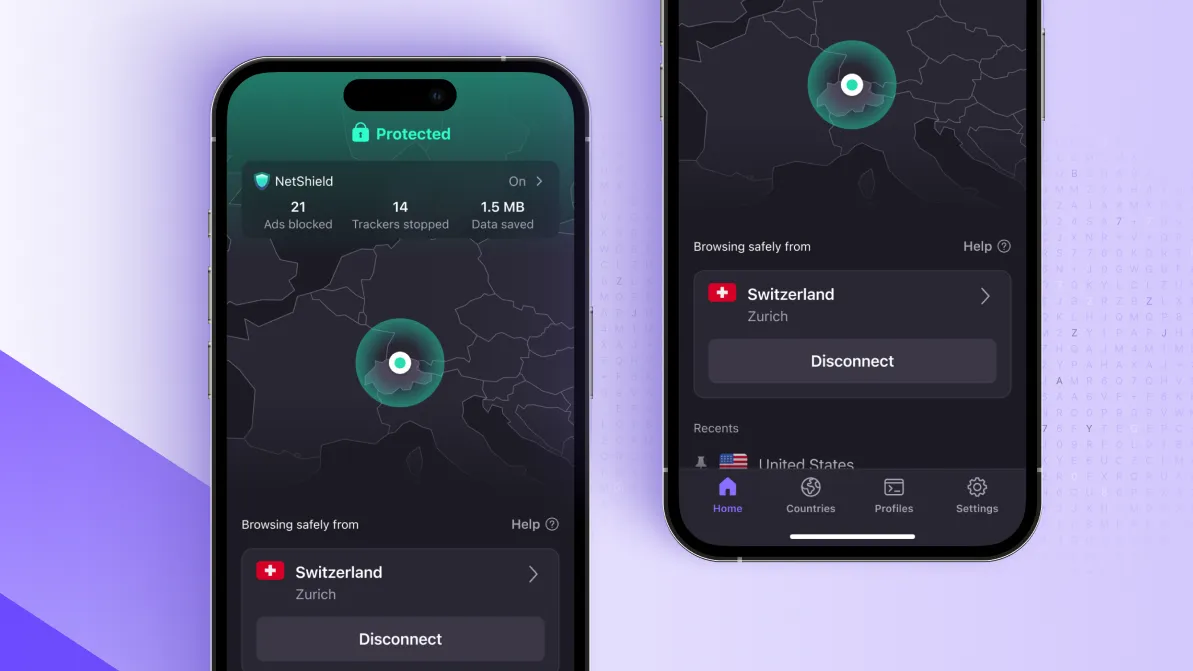
Proton VPN helps you in the fight against Big Tech by encrypting your internet traffic and hiding your public IP address. This effectively stops ISPs, big tech companies, or garden-variety hackers from tracking your online activities or misusing your data for identity theft or fraud.
It’s also worth noting that Proton VPN is headquartered in Switzerland – a country that doesn’t impose mandatory data-retention laws and sits outside both EU and US jurisdiction. One of Proton VPN’s standout features is Secure Core, which adds an extra layer of protection by routing your traffic through an ultra-secure server in either Switzerland, Sweden, or Iceland before finally connecting you to your chosen location.
Proton VPN also has one of the most well-stocked anti-censorship arsenals we’ve seen. This includes its proprietary Stealth protocol, which uses VPN obfuscation technology to disguise your VPN traffic as regular internet activity, allowing you to sidestep VPN blocks and censorship.
Finally, Proton VPN is one of the few VPNs whose apps are fully open source, meaning anyone can inspect the code and independently verify its privacy claims. That said, the provider has also undergone several third-party audits, with the most recent conducted in September 2025.
https://cdn.mos.cms.futurecdn.net/4iyHM5bCudWimLgvDRspzG-2000-80.jpg
Source link




