
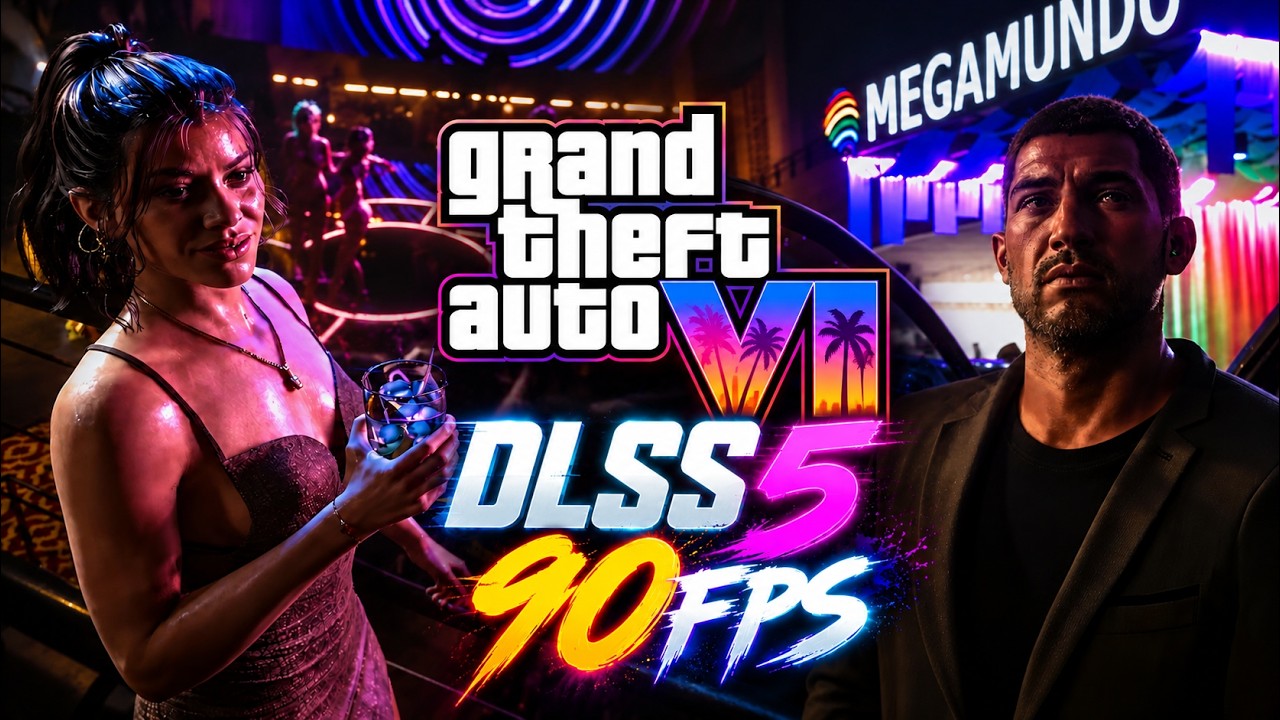
- A gamer took the GTA 6 ‘extended look’ trailer and fudged it to work with DLSS 5 and Frame Generation
- The results posted on YouTube look impressive, albeit with some notable glitches
- It’ll actually be possible to run the game on console, piped through a PC with an Nvidia GPU to add DLSS 5 and other visual trickery, at the cost of some input lag
- …and some believe that trade-off might be worth it
Will the best way to play GTA 6 at launch be to pipe it from your PS5 to your PC with an Nvidia GPU and then back out to your TV?
No, it absolutely won’t, but a convoluted setup along these lines could be the optimal way to experience the game visually (with some major caveats) — before the PC version arrives — given that you can fudge the addition of DLSS 5 this way.
How does this work? Wccftech picked up the story of the Redditor who proposed this experiment, and actually applied DLSS 5 to the GTA 6 ‘extended look’ trailer that Rockstar brought out a couple of months ago.
Latest Videos FromTechRadar
To be specific, this gamer gave the trailer a DLSS 5 makeover with 3x Frame Generation tripling the frame rate from 30 fps to 90 fps, via an app called Veyra, which is a GPU video enhancement tool for Windows on GitHub.
The Redditor explains: “I used Veyra 2.1.1, a tool that can take a video source (video files, capture cards, Remote Play) and apply Neural Rendering [DLSS 5], upscaling, and Frame Generation in real time. I also integrated MFG Unlocker into it so I can unlock Multi Frame Generation on my RTX 4080 and experiment with 3x/4x FG on 40-series cards.”
MFG Unlocker is an experimental tool (again on GitHub) which the Redditor is using for getting Multi Frame Generation on their RTX 4080, in case you were wondering. (As ever, download any third-party software entirely at your own risk).
As you can see in the YouTube clip below, the results of this polishing of the official trailer are very impressive in some ways. That said, there are clear issues with artifacts and glitching in terms of the characters and lighting, with the best results seen in the background environment details.
It’s pretty remarkable given that this is a fairly aggressive implementation of DLSS 5 by all accounts, fudged on top of a video with no relevant game data (the likes of vector and geometry data) to guide the neural rendering.
The Redditor’s plan is to use a console-to-PC pipeline to play GTA 6 on the PS5, with the PC effectively sitting between the console and final output on the TV, adding DLSS 5 and jazzing up the visuals.
This means taking the PS5 and hooking it up to a 4K HDR capture card in the PC, running it through Veyra with the RTX 4080, then outputting to the 4K TV. It’s a roundabout way of using the Nvidia GPU as an external graphics card for the console, except all the GeForce GPU is doing is applying DLSS and/or MFG to the image the PS5 has rendered — although there is a price to pay in terms of input lag, of course.
Analysis: capture capers
The Redditor doesn’t actually have their PS5 yet (although they’ve ordered it) to try out this setup fully, but others on Reddit have run such a setup, and in fact it’s not that uncommon (albeit still far from a mainstream concept).
One gamer says that they’ve played GTA 5 using an Elgato capture card with NitLink software, and “the gameplay was 100 times better”, and while “there is a noticeable input lag” they claim that “it’s completely acceptable — around 1-2 milliseconds.”
That little input lag seems a stretch (to say the least), and overall, there’s some dispute on whether this way of gaming is viable. Some gamers say that such a setup is just too laggy, while others claim it provides a decently playable experience. Of course, it will depend on what type of game you’re playing — a fast-reaction shooter, for example, isn’t going to do well with any extra lag being introduced, and you’re certainly going to get some.
Really, the success of this kind of console to PC capture card to TV setup is going to heavily depend on a number of factors. The quality of the capture card (a PCIe board would be best, rather than one connected via USB) and the related software are the primary factors, and by all accounts, a higher-end Elgato with NitLink gives you a good chance of enjoying your PS5 games with an Nvidia GPU souping them up using DLSS 5 and Frame Generation.
I’m betting there will also be an element of subjectivity here, too, with some people likely to feel any latency more keenly than others.
Some gamers use this setup to play PS5 games on their PC monitor (in other words, without piping the image back out of the PC to the living room TV, which would cut down on some of the input lag), and there are guides to running this kind of setup on YouTube, like this one. Others recommend Zanit’s tutorials on YouTube, but those videos are in Portuguese, so you’ll need to translate them if you’re not a native speaker. It’s pretty cool stuff, if rather convoluted — and a good capture card doesn’t come cheap (neither does a high-end RTX 5000 GPU).
Meanwhile, as far as GTA 6 on the PC goes, we may see this happen a lot sooner than expected, due to the way the emulation scene is going right now (in turbo mode thanks to AI). In other words, Rockstar may want to get the PC port on sale before PC gamers start playing it via emulation.

Follow TechRadar on Google News and add us as a preferred source to get our expert news, reviews, and opinion in your feeds. Make sure to click the Follow button!

The best gaming consoles
https://cdn.mos.cms.futurecdn.net/pW9wEGWMiuJAFSfDDBMXkJ-2000-80.jpg
Source link
Darren Allan